CeeStock · Inventory management
Inventory and sales management
Manage inventory, record sales and stock movements, and review business reports.
- Product catalogues and barcode search
- Sales, stock receipts and adjustments
- Inventory and estimated gross profit reports
Features
CeeStock application screens and supported operations.
-
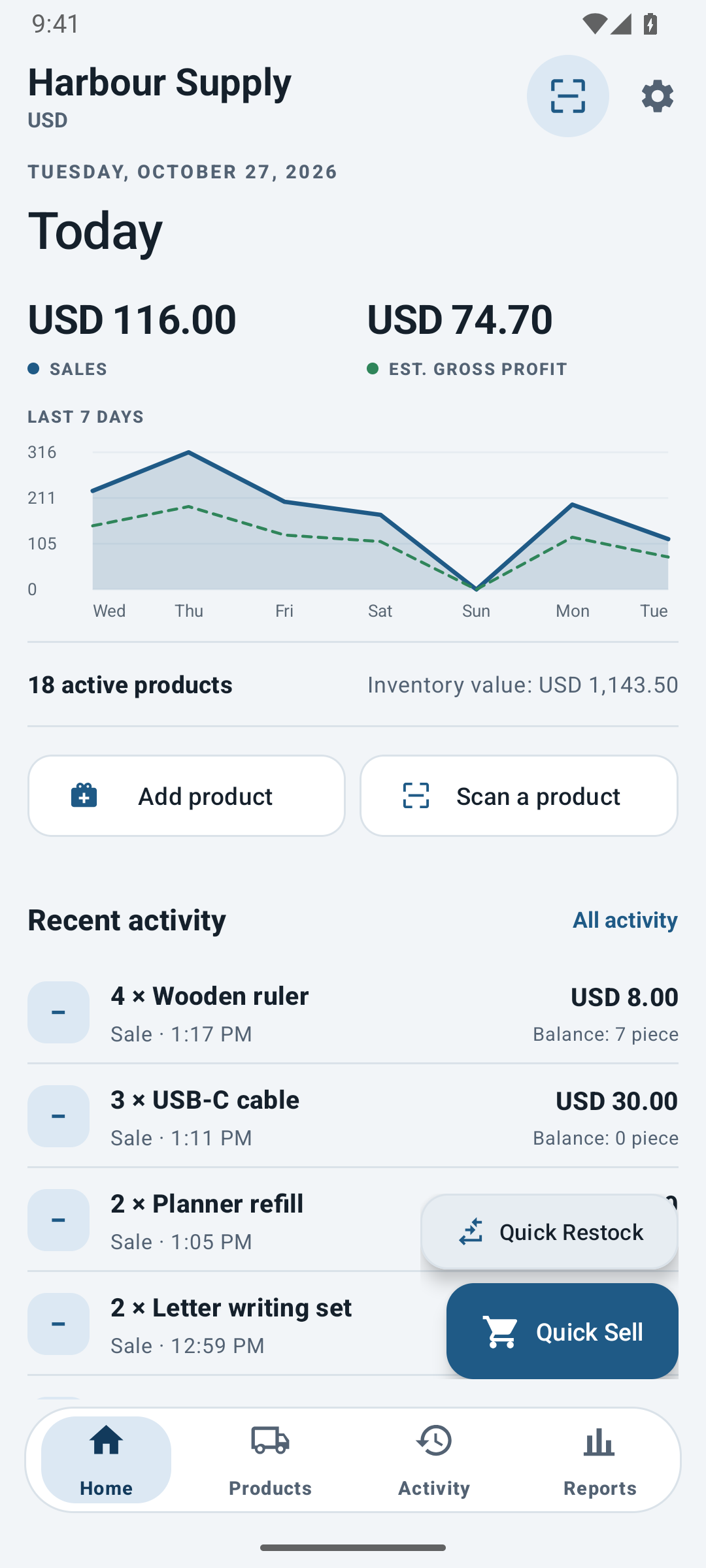
Inventory and sales overview
Monitor recorded sales, estimated gross profit, inventory value and recent stock activity, with a seven-day sales trend.
-
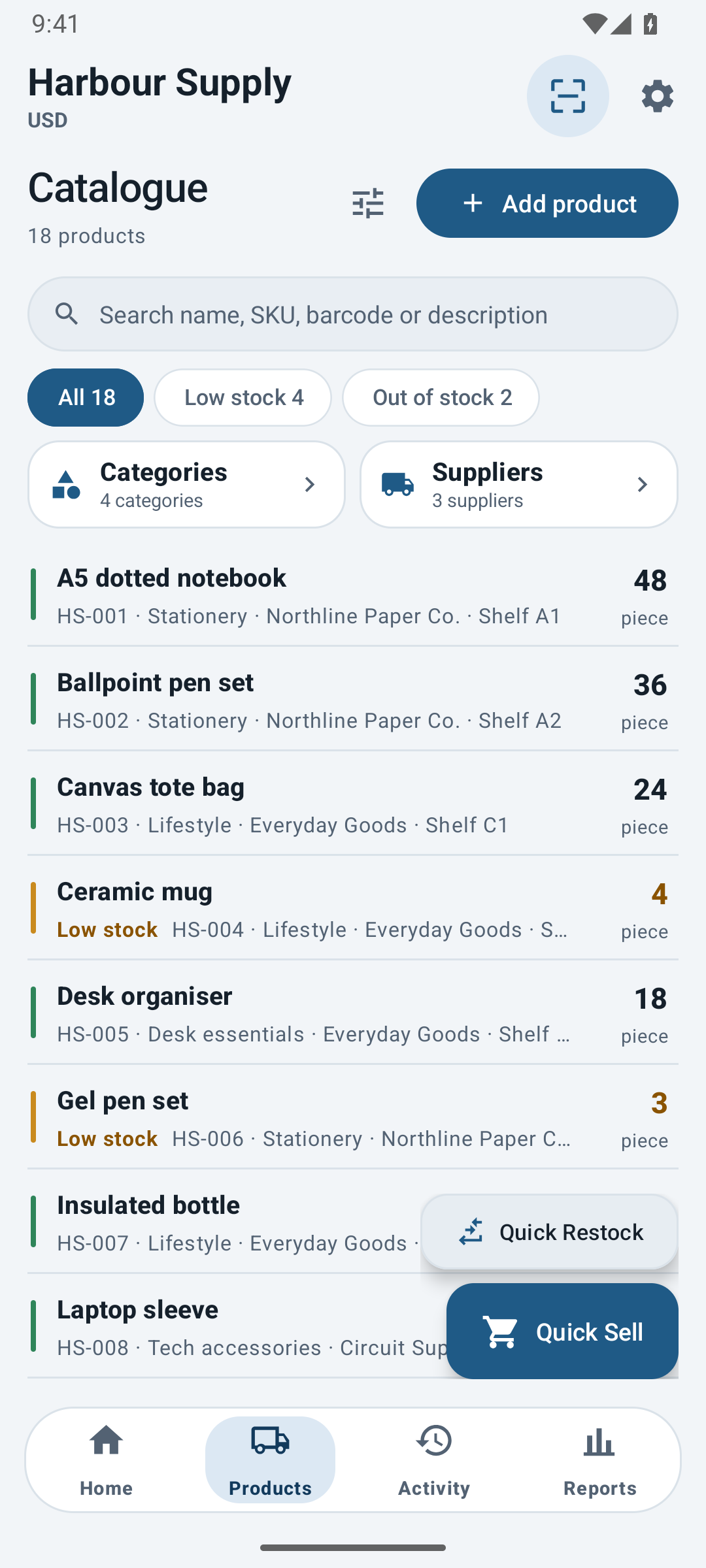
Product catalogue management
Search by name, SKU or barcode. Maintain prices, categories and supplier details.
-
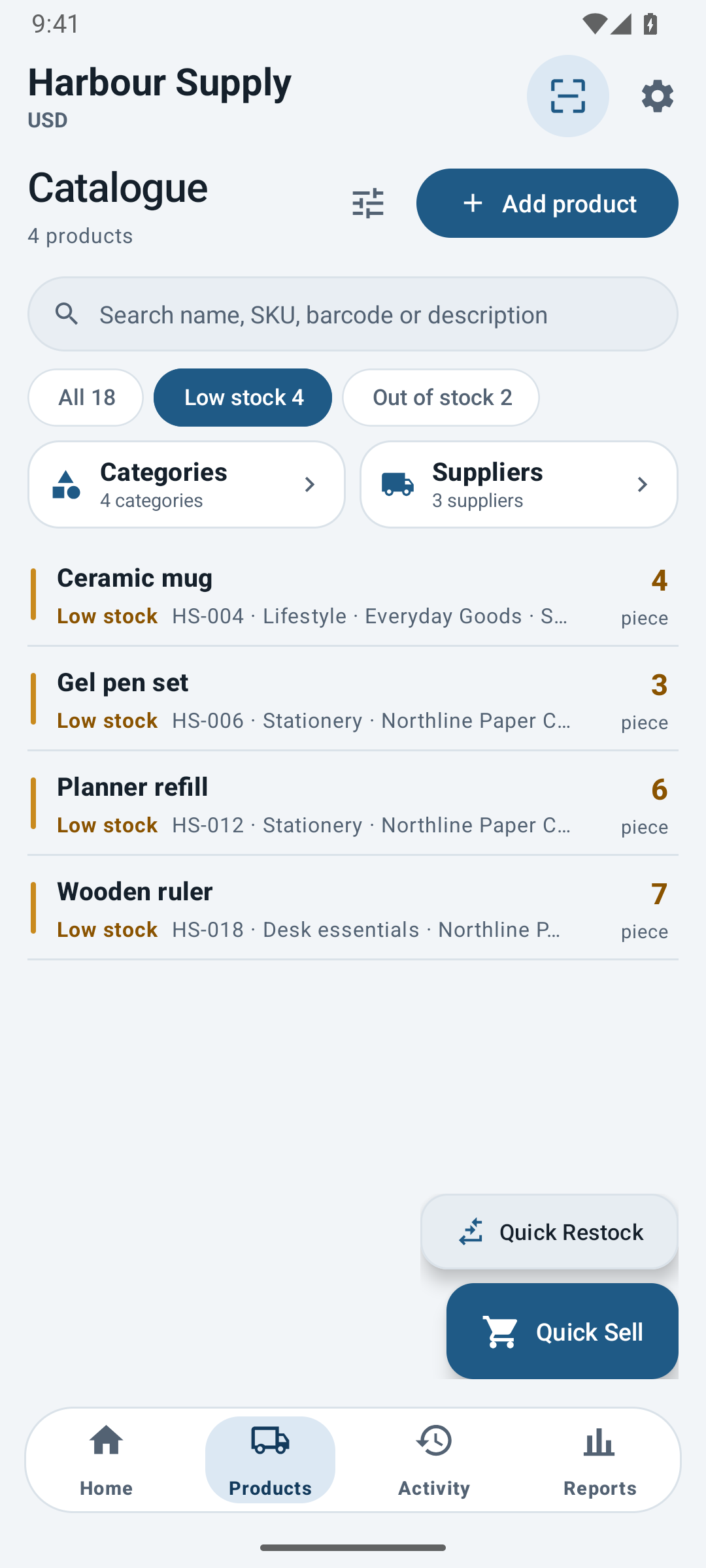
Low-stock monitoring
Set product reorder thresholds, review low-stock and out-of-stock items, and plan stock replenishment.
-
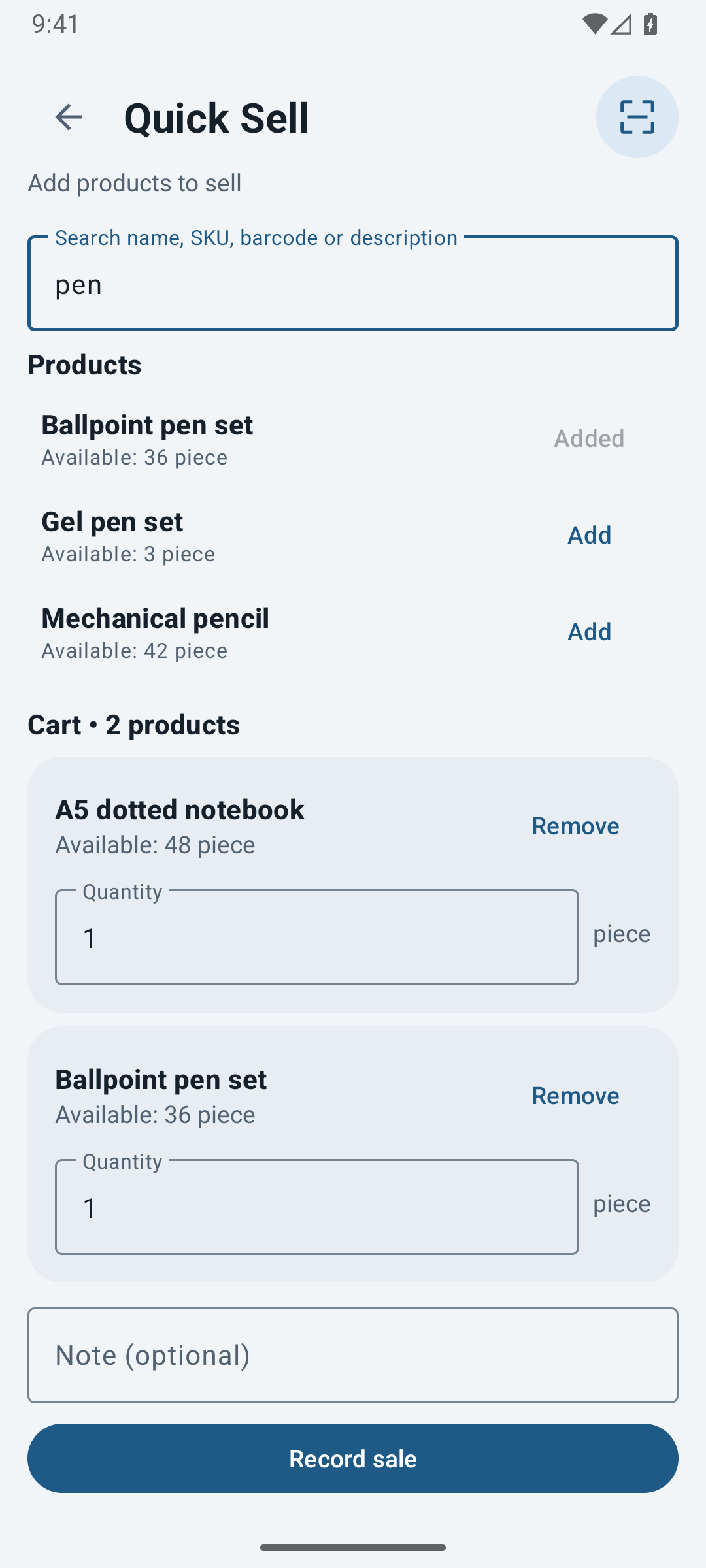
Multi-product sales entry
Record multi-product sales, stock receipts and adjustments with transaction history.
All inventory tools are included in the free plan. Plans differ in monthly transaction allowance.
-
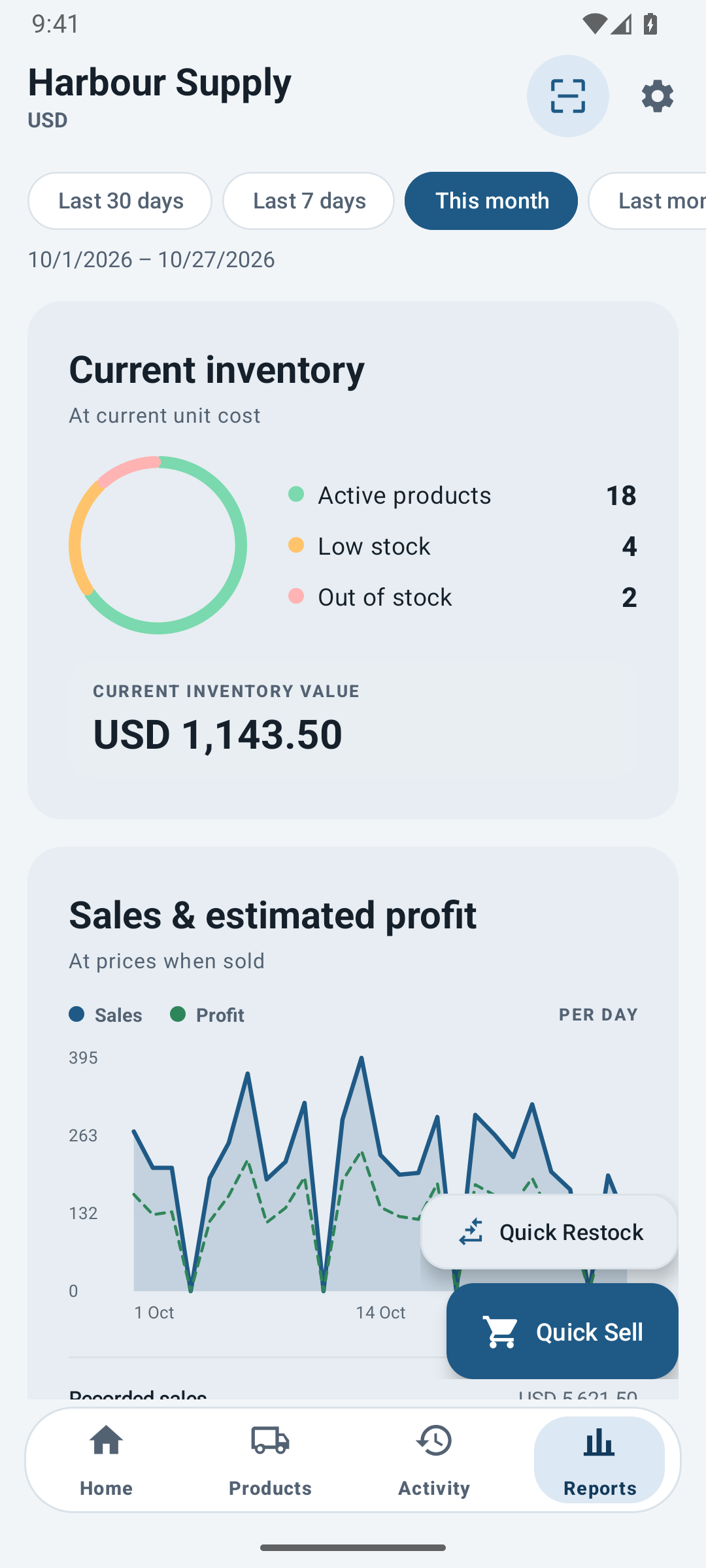
Sales and gross profit reporting
Compare recorded sales, estimated cost and estimated gross profit for selected reporting periods. Review stock health and product rankings.
-
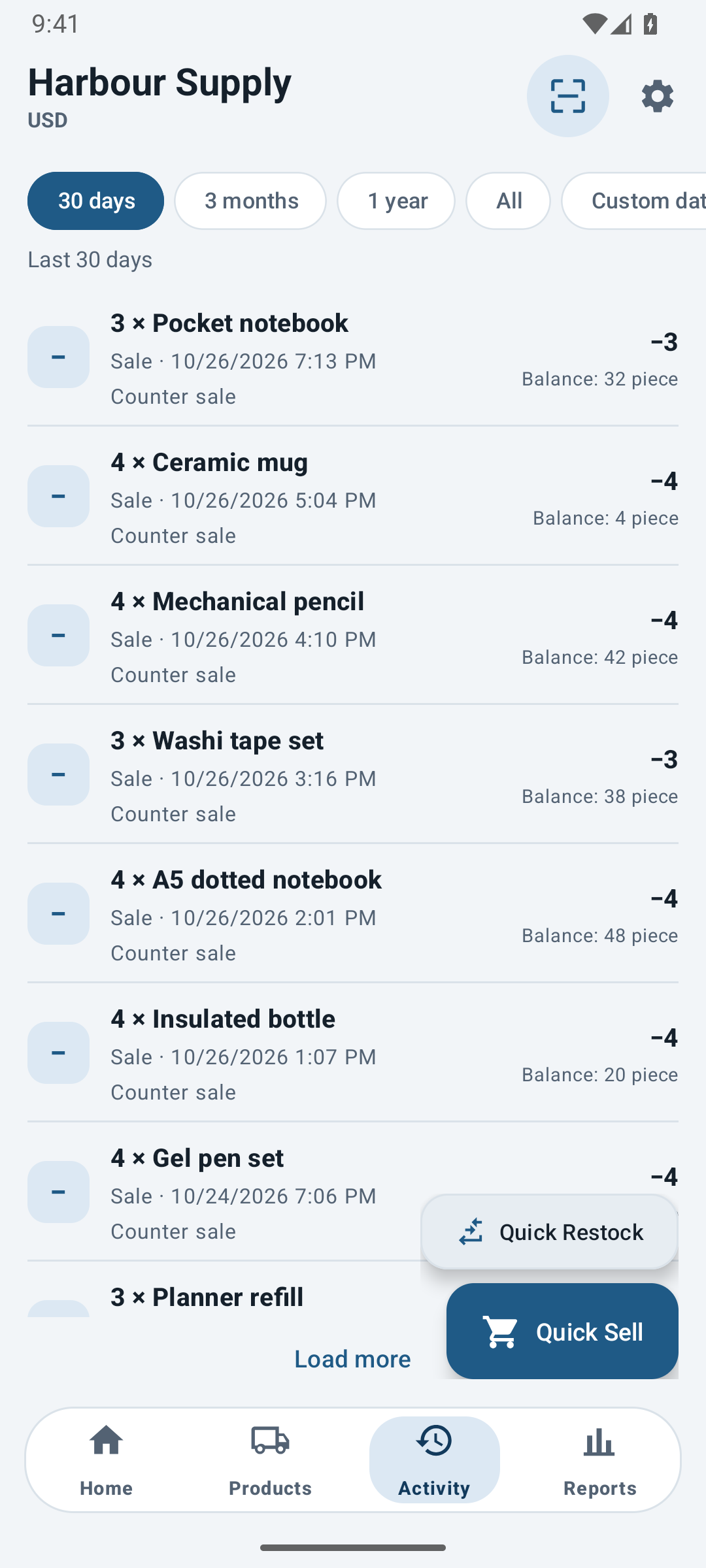
Stock movement history
Review sales, stock receipts, returns and adjustments by date or product, with transaction notes and resulting stock balances.
-
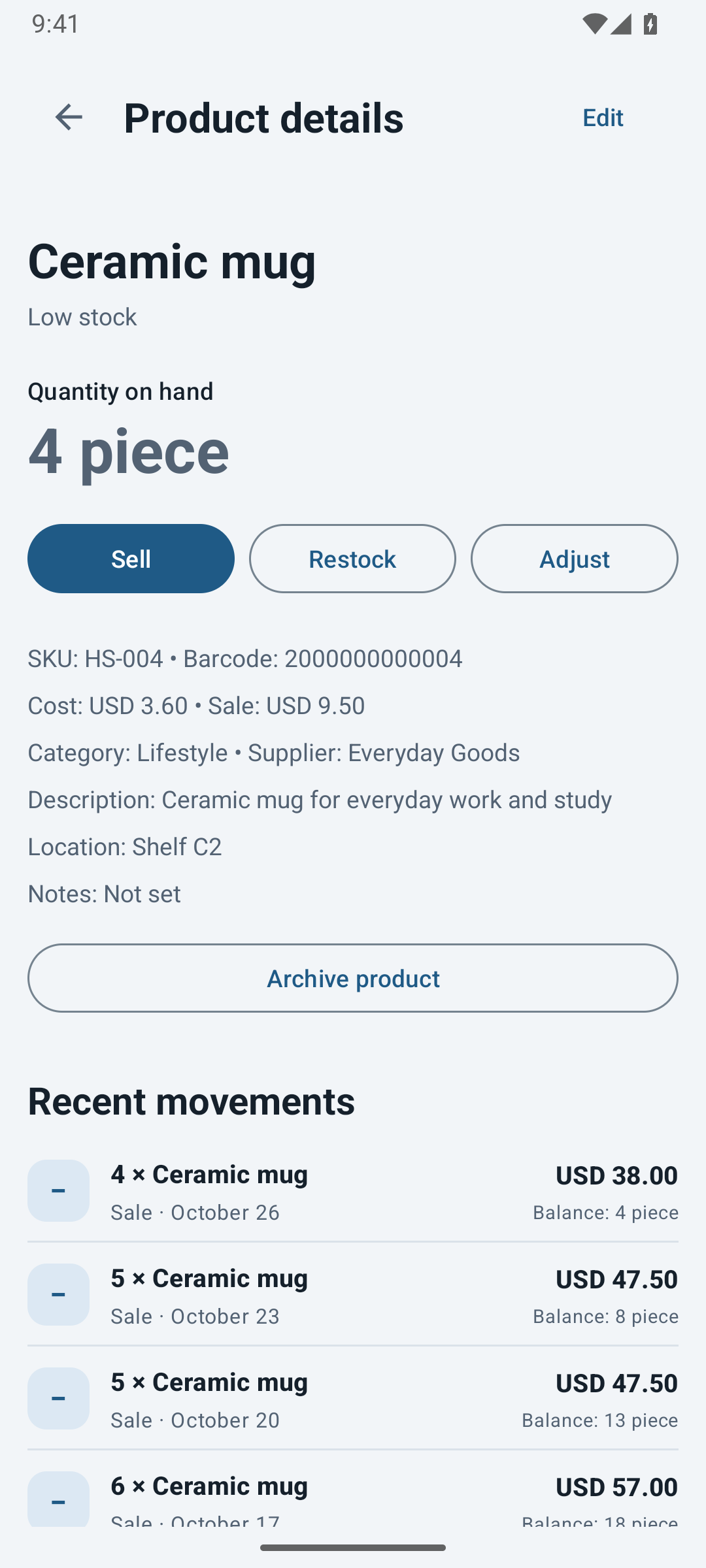
Product records and supplier details
Maintain product cost, sale price, SKU, barcode, storage location, supplier details and notes alongside stock balances and movement history.
-
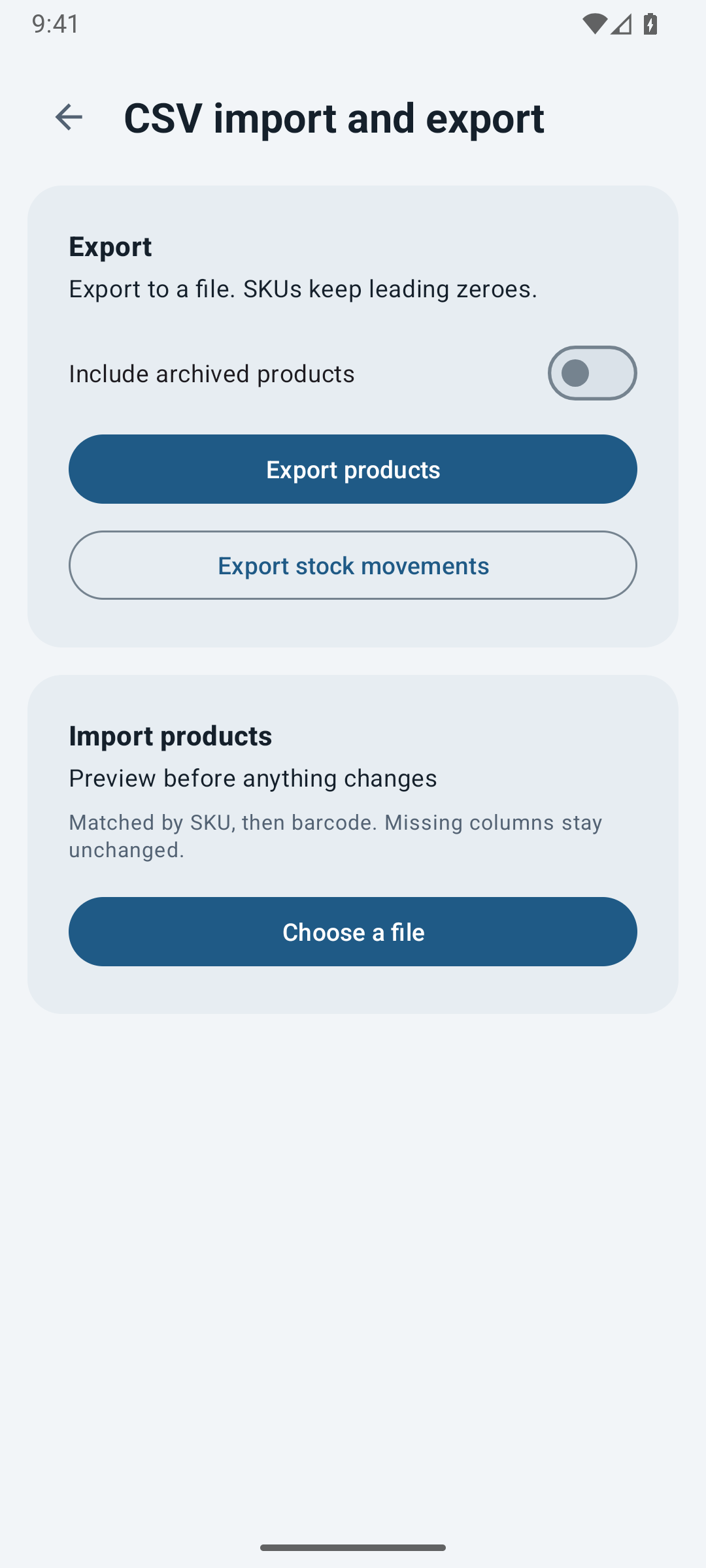
Data export and backup
Export product and stock movement records as CSV. Create and restore backup files.
Free and paid plans
Free
- 50 stock transactions per calendar month
- Product catalogue, categories and suppliers
- Product photos, barcodes and storage locations
- Quick Sell and Quick Restock
- Low-stock indicators, activity history and reports
- CSV import and export
- Full backup, restore and local safety snapshots
- Six app colors in light and dark
Paid plans
Everything in Free, plus:
- Starter: 200 stock transactions per calendar month
- Unlimited: unlimited stock transactions
- Lifetime: unlimited stock transactions for life
- All inventory tools included in every paid plan
Paid plans are available as subscriptions or a one-time lifetime purchase through Google Play. Prices are shown in Google Play and depend on your country.
Data privacy
- Inventory records, supplier contacts and product photos are stored on the device.
- No account or ads. Data exports and backups are initiated by the user.
- Barcode processing is local. Google receives technical scanning metrics.
Frequently asked questions
Does CeeStock require an account or an internet connection?
No account is required. The product catalogue, stock transactions and reports work offline. Plan purchases and restoration require Google Play and an internet connection.
What counts as a transaction?
One confirmed stock operation, such as a sale, restock, return or adjustment. A basket containing several products counts as one transaction. Opening stock and stock changes from a CSV import also count.
What is included in the free plan?
All inventory tools, reports, barcode scanning, product photos, CSV import and export, and backup and restore. Free allows 50 stock transactions per calendar month. Starter raises this to 200, Unlimited removes the limit while subscribed, and Lifetime provides unlimited transactions for life with a one-time purchase.
Does CeeStock take payments or connect to my bank?
No. CeeStock records the sales and stock changes you enter. It does not process customer payments or connect to a bank account.
How is estimated gross profit calculated?
CeeStock uses the costs and sale prices saved with each stock movement. Estimated gross profit is recorded sales less estimated product cost. These figures do not include all business expenses.
How is inventory transferred to another device?
Create a full backup in Settings, retain the file securely, then restore it in CeeStock on the new device. The backup includes the database and product photos. Backup and restore are included in the free plan.
Are existing product barcodes supported?
Yes. Assign a barcode to a product, then scan it to locate the record or add it to a sale or stock receipt. Manual barcode entry is also supported.
How is a subscription cancelled?
Open Google Play, then Payments and subscriptions, then Subscriptions. Cancel your CeeStock subscription there. Uninstalling the app does not cancel the subscription. Lifetime is a one-time purchase and does not renew.
CeeStock for Android
Paid plans are available as subscriptions or a one-time lifetime purchase through Google Play.