Ledge · Money tracker
All your money, one clear view
Record income, expenses and transfers, set monthly budgets and see where your money goes. No sign-up, and your records stay on your phone.
- Budgets and bills flagged before you overspend
- Quick posts for the entries you repeat
- Works offline, with no sign-up
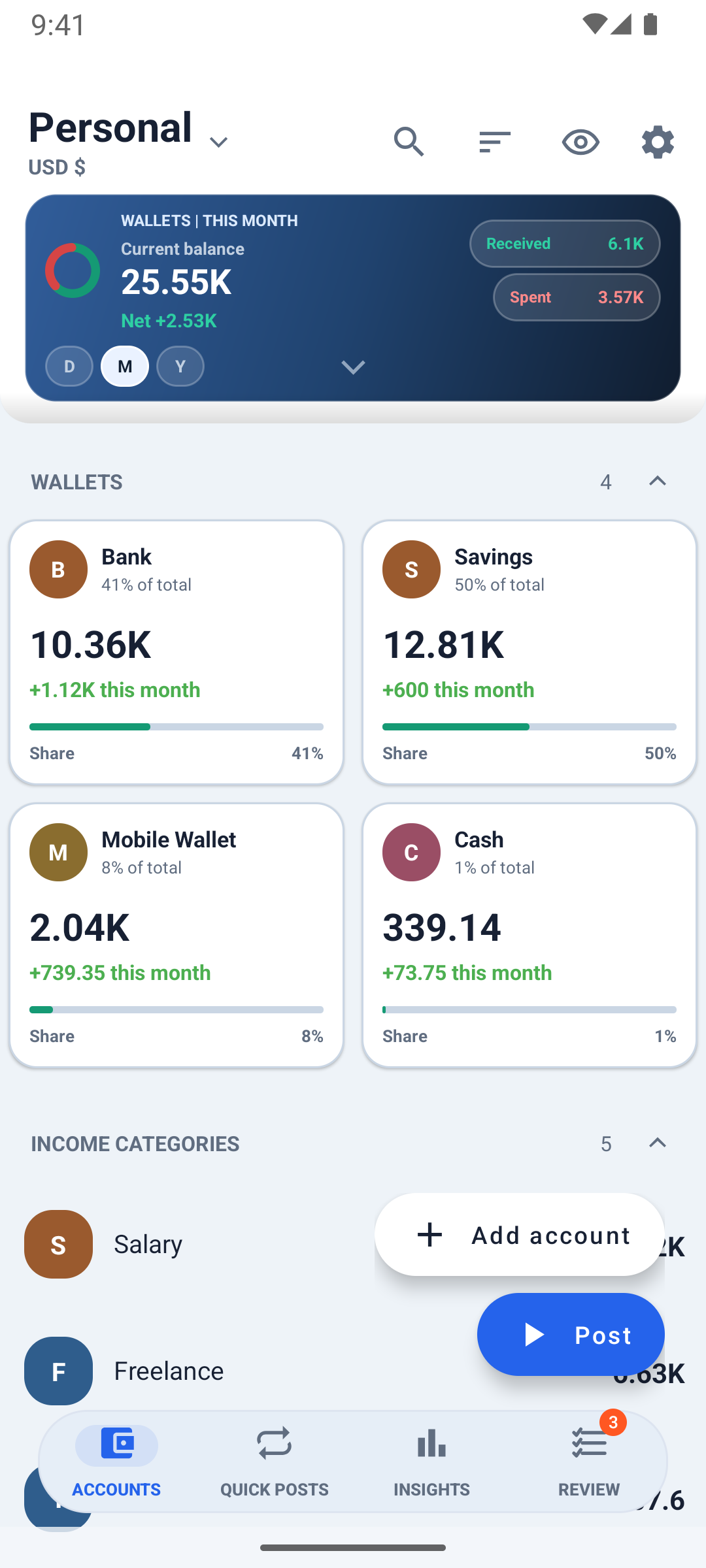
What you can do
Real screens from Ledge, straight from the app.
-
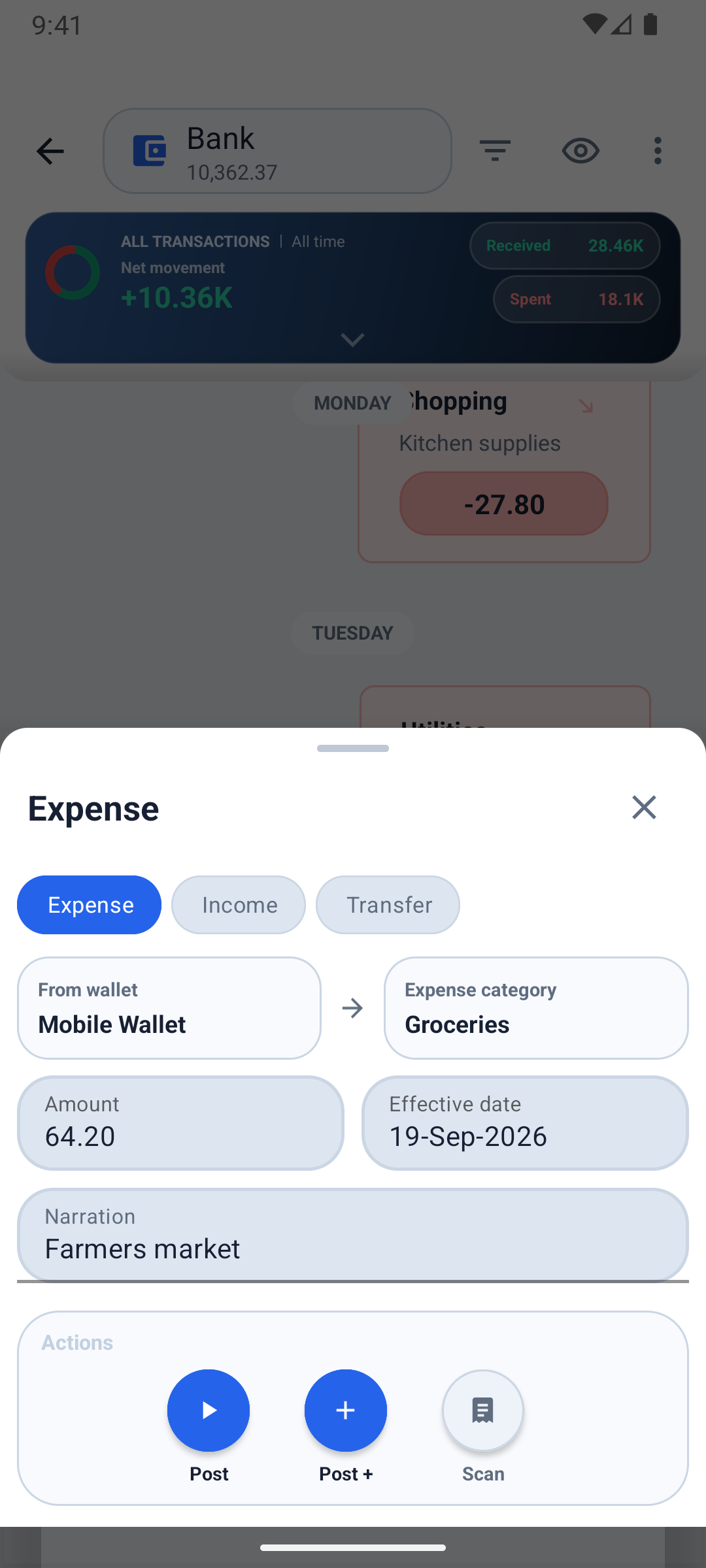
Log it in seconds
Post income, expenses and transfers. Pick a wallet and a category, type the amount, done. The accounts you use most come first.
-
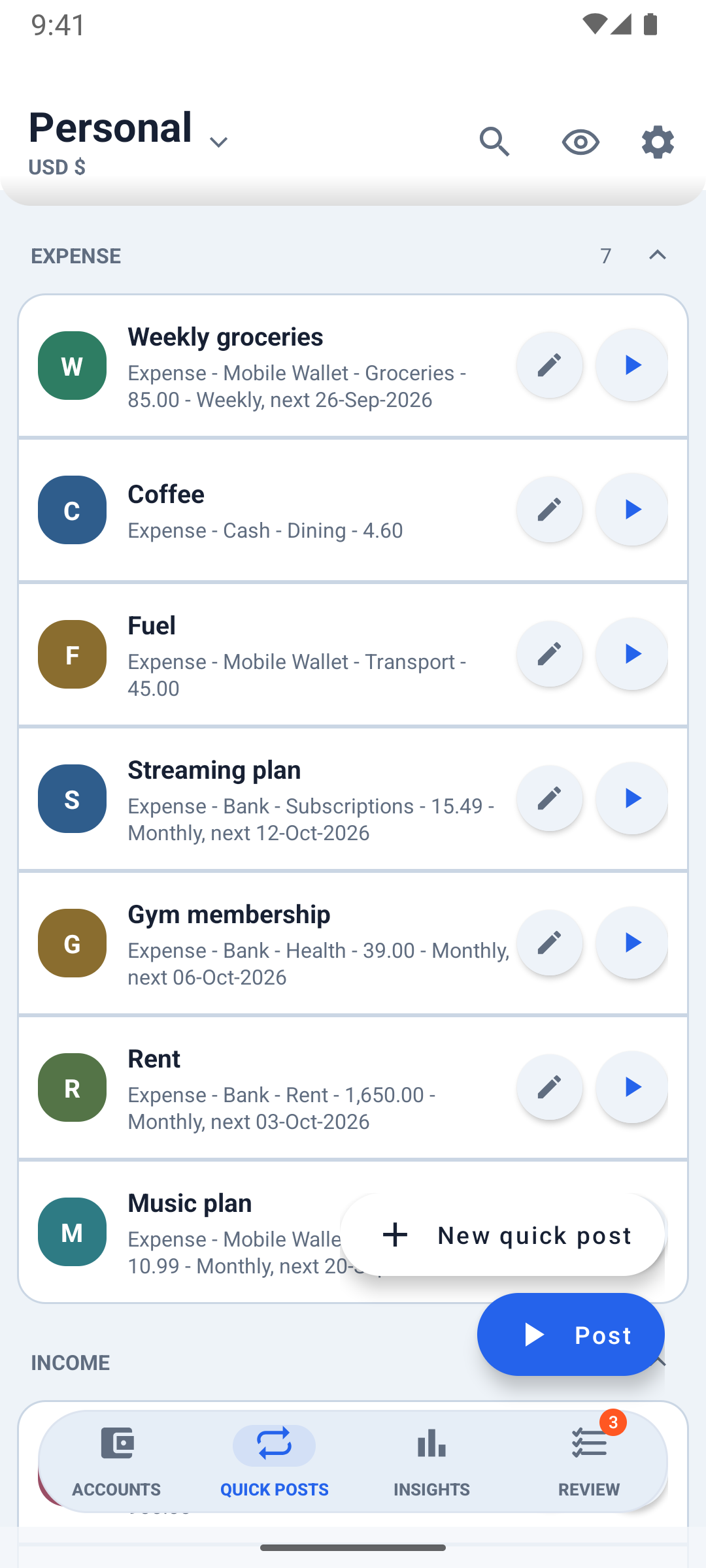
Repeat bills in one tap
Save rent, salary or groceries as quick posts. Set them to repeat once, daily, weekly, monthly or yearly, and confirm them when they're due.
Quick posts are free. Repeats are Premium.
-
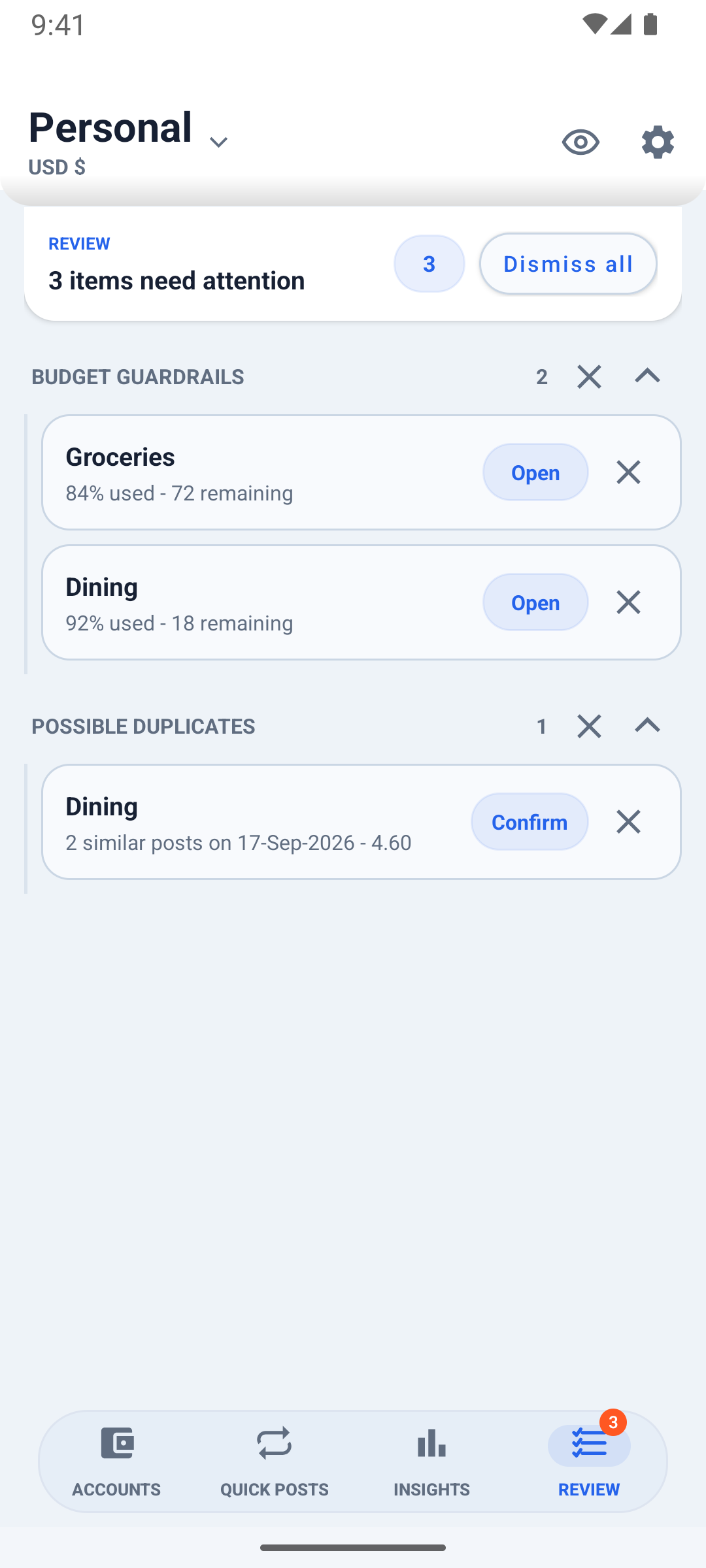
Get warned before you overspend
Monthly category budgets fill as you spend. Review flags budgets near their limit, bills due, possible duplicates and uncategorized entries.
-
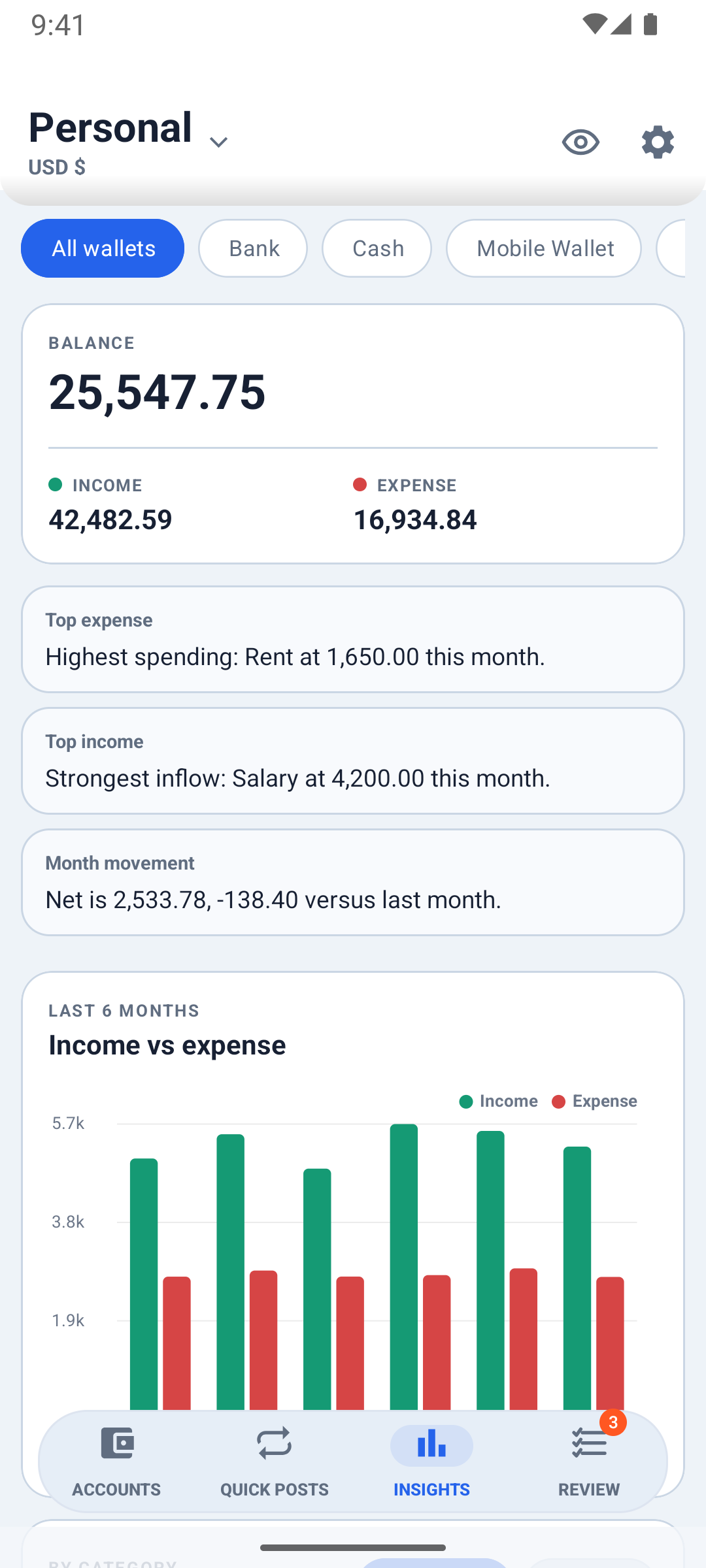
See where your money goes
Plain-language insight cards first, then six months of income against spending, your top categories and your balance trend.
-
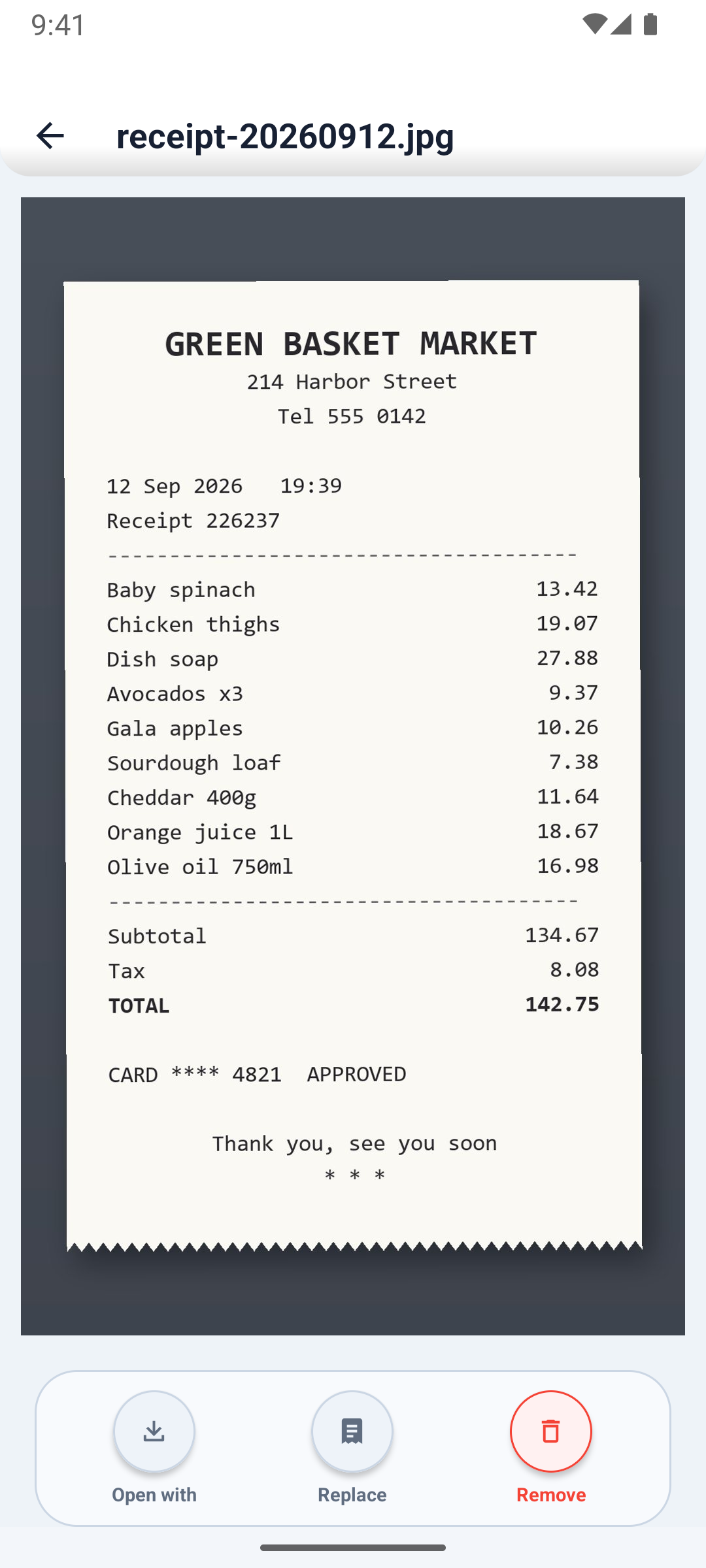
Every receipt, kept with its spend
Scan a receipt to suggest the total, and keep the image with the expense.
Premium
-
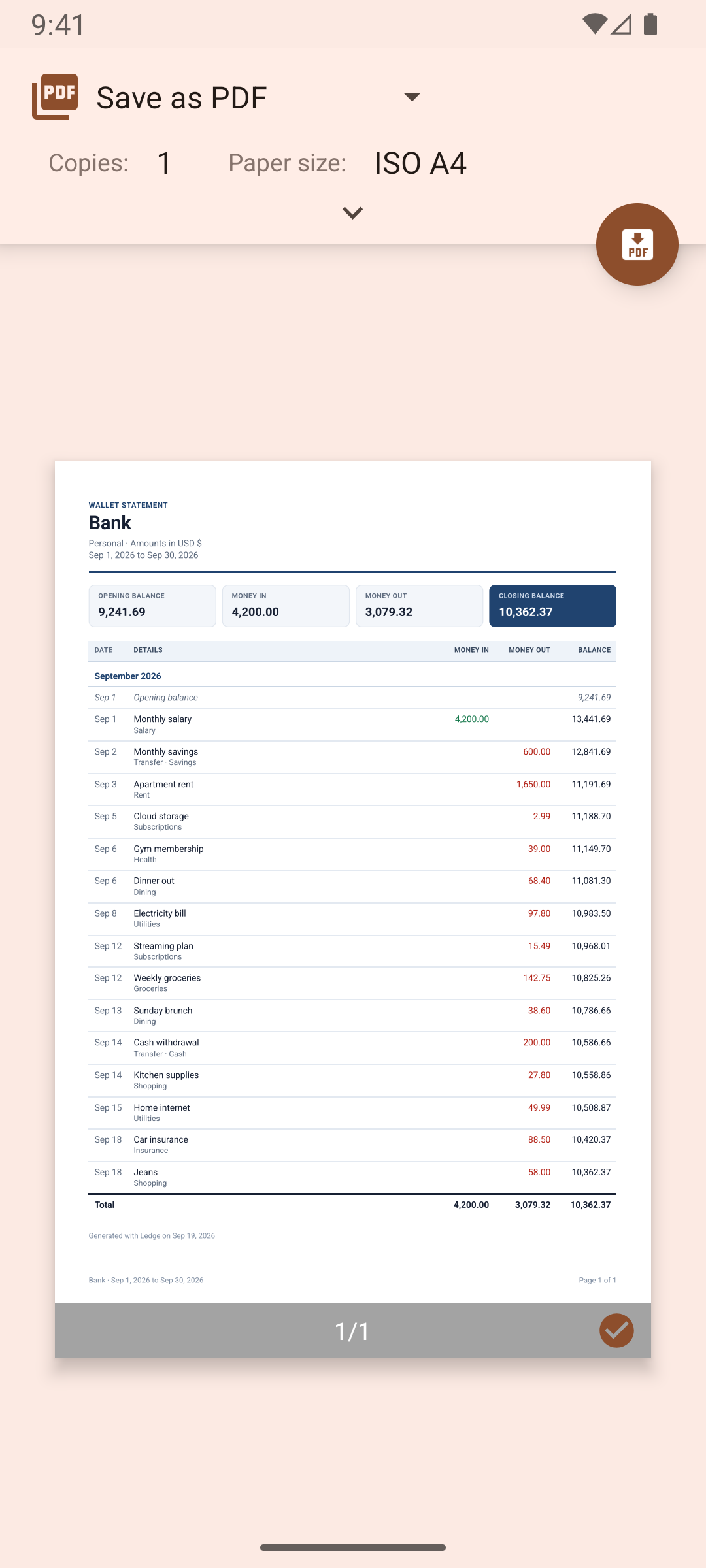
Share a clean PDF statement
Print or save a statement for any wallet or category. Export CSV files, or a monthly pack with your receipts.
PDF statements are Premium. CSV and the monthly pack are free.
-
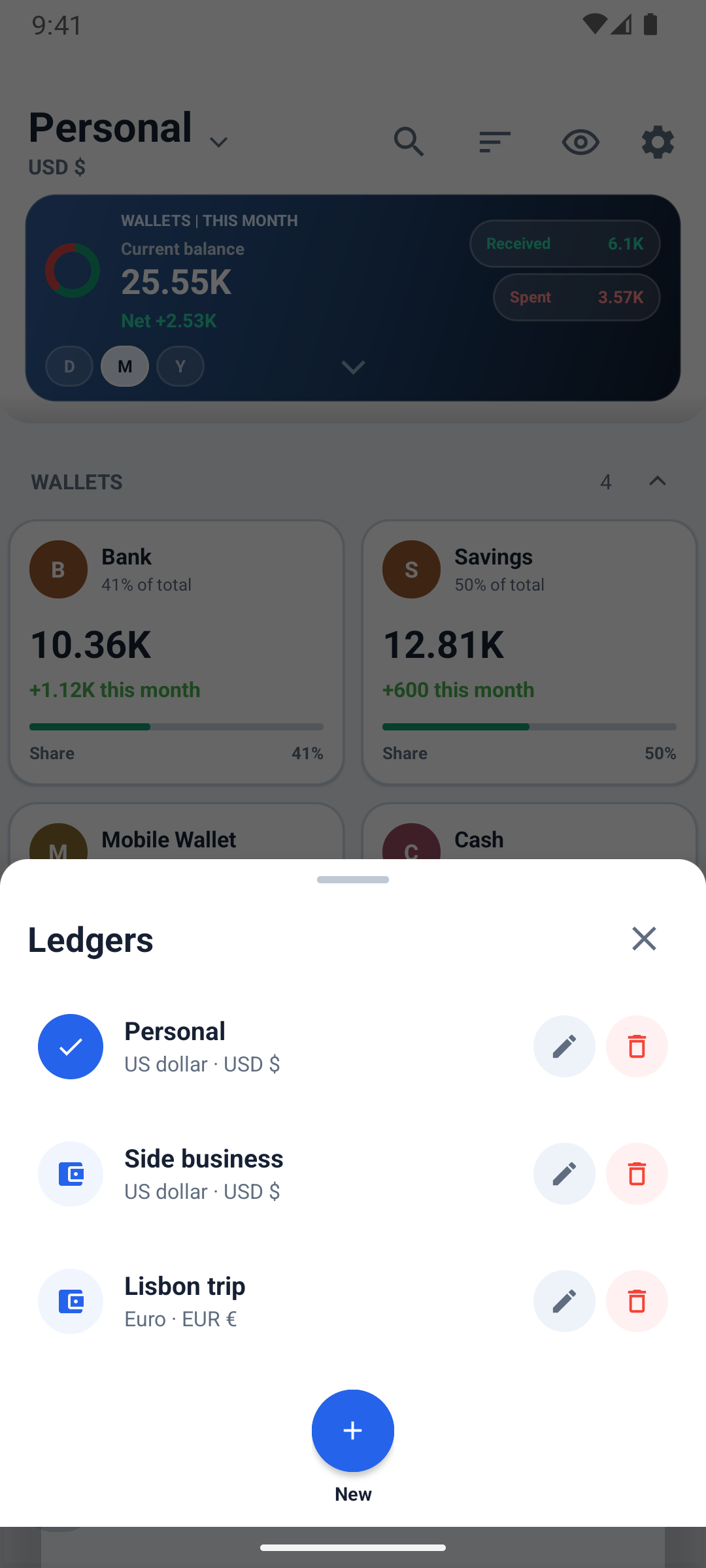
A ledger for every goal
Keep personal, household, business or travel money apart, each ledger with its own currency.
Your first ledger is free. More ledgers are Premium.
-
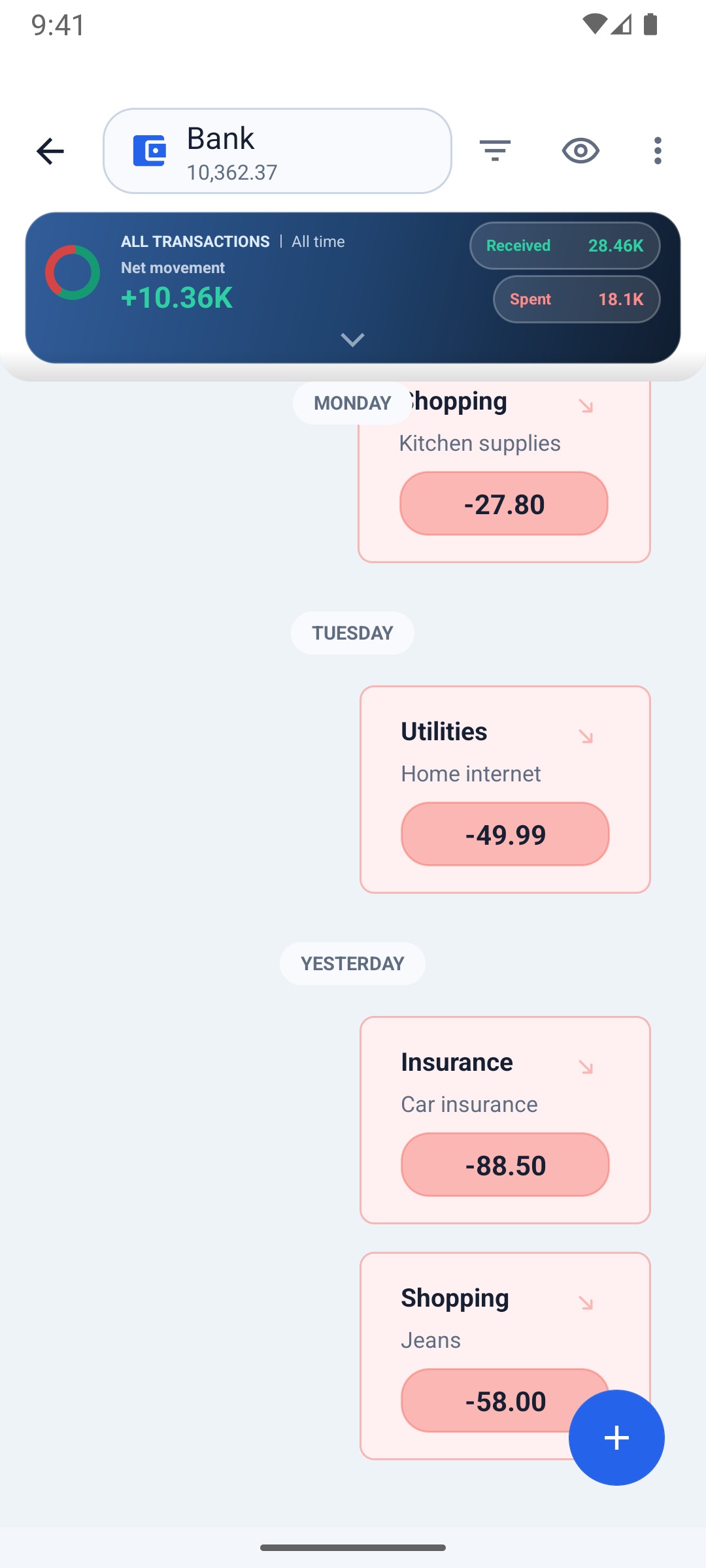
Read your money like a chat
Every entry, day by day, as a conversation. Or switch to a classic list.
-
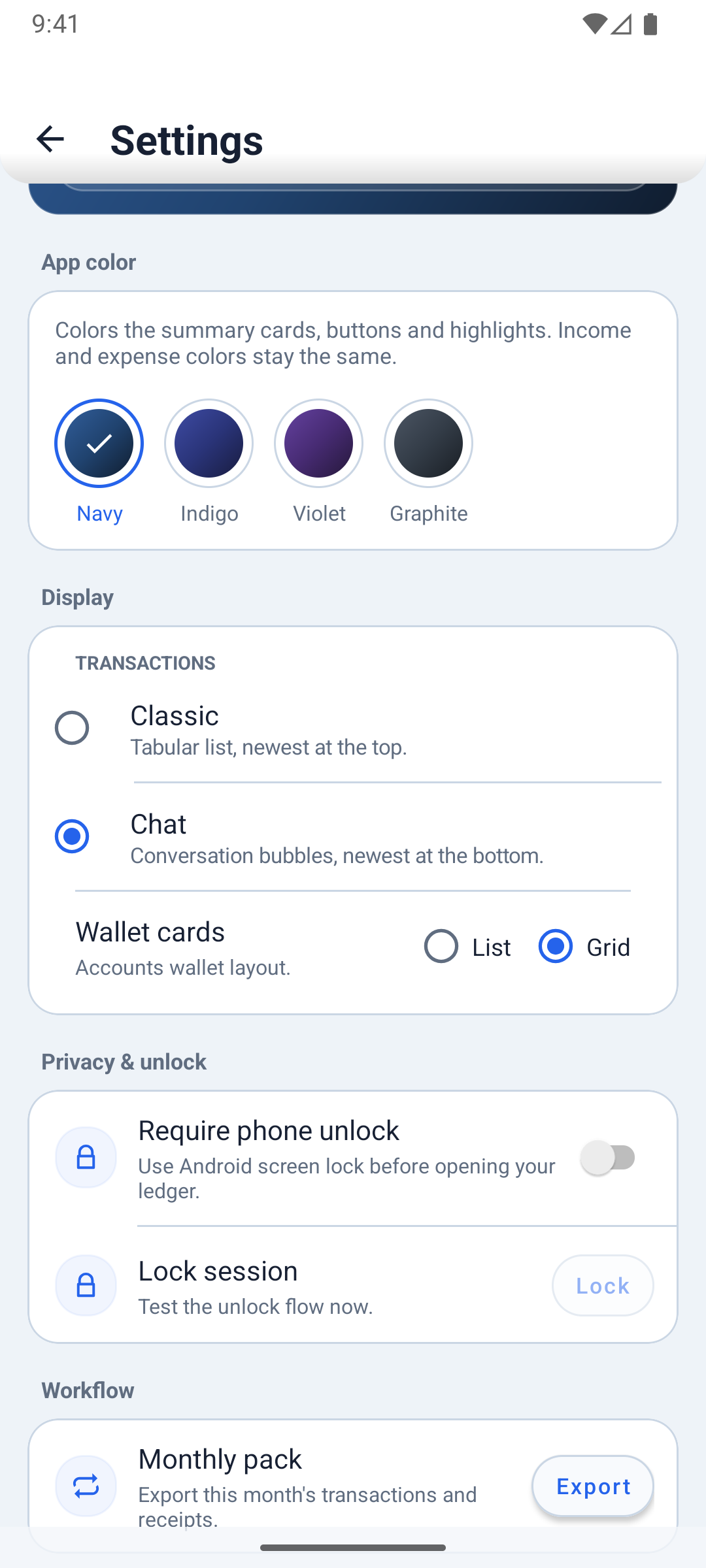
Private by design, locked by you
No sign-up. Hide balances with a tap, and ask for your phone's unlock when Ledge opens.
App unlock is Premium.
-
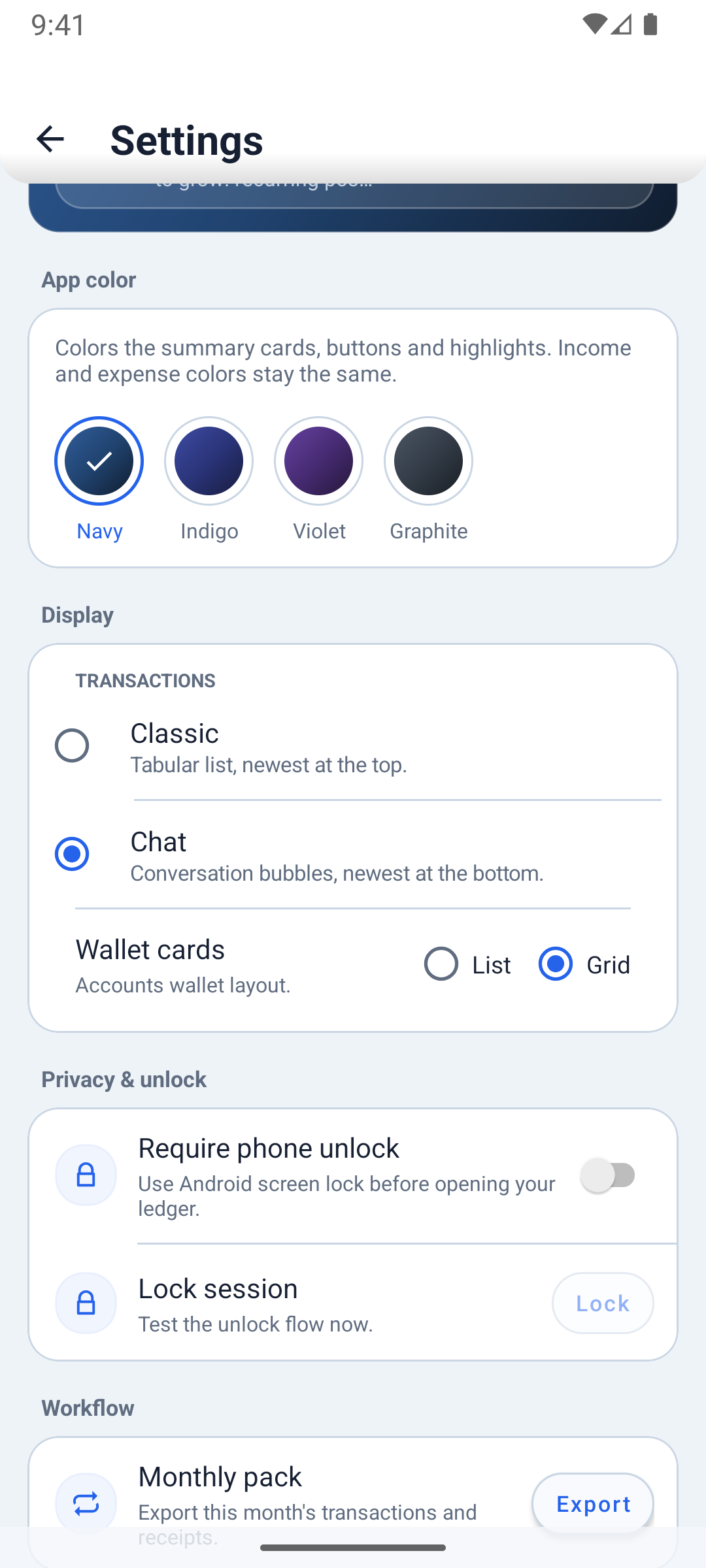
Make Ledge yours
Four app colors in light and dark. Money colors never change, so income and spending always read the same.
Free, with Premium when you need more
Free
- 1 ledger and 2 wallets
- Unlimited categories and transactions
- Income, expenses and transfers
- Quick posts
- Monthly budgets and the Review tab
- Insights and charts
- Search, edit, void and repeat
- CSV export and monthly pack
- Chat or classic view, four app colors
Premium
Everything in Free, plus:
- More ledgers
- More than 2 wallets
- Repeating quick posts
- Receipts kept with entries
- PDF statements
- Backup and restore
- App unlock with your phone's screen lock
- Pinned accounts
Premium is a monthly or yearly subscription, or a one-time lifetime purchase, through Google Play. Prices are shown in Google Play and depend on your country.
Private by design
- Your ledgers, transactions and receipts stay on your phone.
- No account, no ads, no analytics.
- Exports and backups happen only when you choose.
Questions
Do I need an account?
No. Ledge works without sign-up, and your records live in the app on your phone.
Does Ledge connect to my bank?
No. You record income, expenses and transfers yourself, so Ledge never needs a bank login or a financial data feed.
Can I use my own currency?
Yes. Each ledger has its own currency, so a trip or a business can have a ledger in a different currency.
How do I move Ledge to a new phone?
Export a backup from Settings, then restore it on the new phone. Backup and restore is part of Premium.
How do I cancel a subscription?
In Google Play, open Payments and subscriptions, then Subscriptions, and cancel Ledge Premium. Premium stays active until the end of the period you paid for.
Does Ledge work offline?
Yes. Everything works offline. Buying or restoring Premium needs a connection.
Try Ledge free
Premium is a monthly or yearly subscription, or a one-time lifetime purchase, through Google Play.